
If you sell 3D prints on Etsy, chances are you spend more time than you'd like updating listings, checking which sale has just come in, copying customer details and working out whether you're actually making a margin on each piece. What starts out as the thrill of selling your designs ends up snowballing into a pile of repetitive admin.
To spare you that overload, the integration between Etsy and BolloPrint lets you bring both worlds together. When you connect your store, you don't just sync your catalogue of items — you also centralise incoming orders. That way your products, your customers and your sales stay organised, without constantly jumping from tab to tab or duplicating work by hand.
Connect your Etsy store
- Go to Settings → Extensions → Marketplaces and find the Etsy card.
- Click "Connect Etsy".
- Sign in with your store's seller account and authorise access to the platform.
When you come back to BolloPrint you'll see a green indicator confirming your store is ready to go.
Sync your catalogue: publishing and importing
Once your store is connected, head to the Marketplaces section in the side menu to manage your products easily:
- If you already sell on Etsy: in the Import tab, pick your existing listings to bring them into BolloPrint with one click, descriptions, variants and photos included.
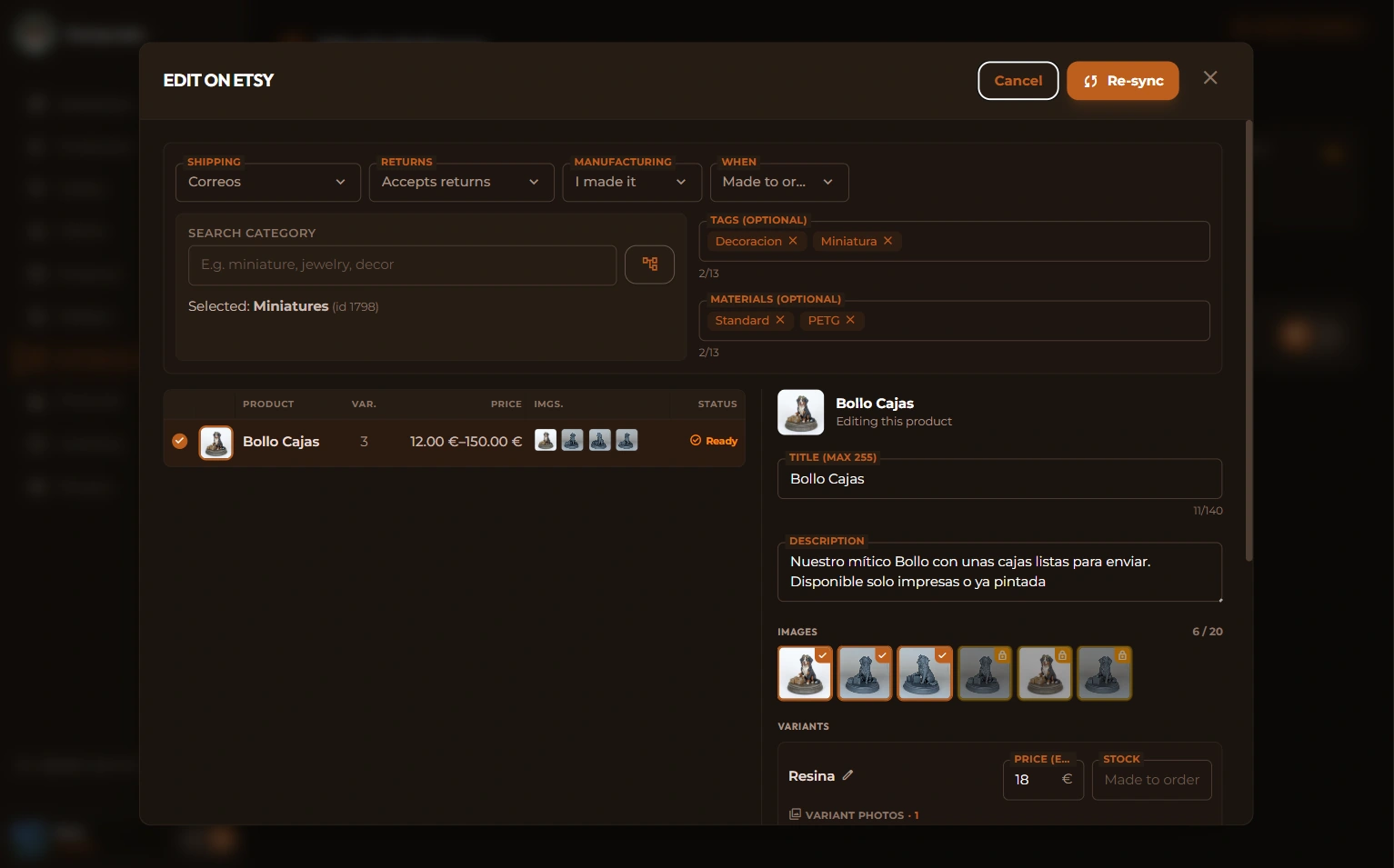
- If you create products in BolloPrint: in the Publish tab, turn your products and their variants into Etsy listings. You can leave them as drafts to review, or publish them straight away.
Orders come in on their own
And once it's all synced… what do you do when you get a sale on Etsy? Well, you don't have to do a thing!!
When a customer buys on Etsy, the order lands on your BolloPrint Production board within seconds. You'll find the sale already created, with the customer's details, the products sold and the designs you need already linked, so you can get straight to printing!
💡 Need more detail, or a hand?
This is a quick guide to getting started. If you'd like to see specific cases — how shipping, cancellations or tags are handled — take a look at our full guide to the Etsy integration.
And if any question comes up along the way, or you need help setting your store up, write to us from the contact page or open a thread on our Discord. We'll be delighted to help!
Here's hoping those Etsy sales go brilliantly.

Related documentation
- Selling on Etsy — the full reference for the integration
- Marketplaces — how the section works and which stores it supports
- Selling on Shopify — the other store you can connect
- Support on Discord — where to ask when something doesn't add up